Pirates
A downloadable game for macOS and Android
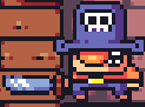
«Пираты» — это захватывающий 2D платформер, в котором игроки берут на себя роль смелого пирата. Игра отличается ярким и красочным 2D стилем с детализированной анимацией персонажей и окружающей среды. Звуковое оформление включает в себя увлекательную музыку и звуковые эффекты, которые создают атмосферу пиратских приключений.
"Pirates" is an exciting 2D platformer where players take on the role of a brave pirate. The game features a bright and colorful 2D style with detailed animations of characters and the environment. The sound design includes captivating music and sound effects that create the atmosphere of pirate adventures.
Download
Install instructions
1. Скачивание файла игры:
• Найдите кнопку «Скачать» или «Download» и нажмите на нее.
• Выберите файл с расширением .apk и начните загрузку.
2. Настройка устройства для установки:
• Откройте раздел Настройки на вашем устройстве.
• Перейдите в раздел Безопасность или Приложения (в зависимости от модели вашего устройства).
• Найдите опцию Неизвестные источники и включите ее. Это позволит устанавливать приложения из источников, отличных от Google Play.
3. Установка игры:
• Откройте файловый менеджер на вашем устройстве.
• Перейдите в папку Загрузки (или ту папку, куда был сохранен файл).
• Найдите загруженный APK-файл игры и нажмите на него.
• Нажмите Установить и дождитесь завершения установки.
4. Запуск игры:
• Найдите иконку игры на главном экране или в меню приложений вашего устройства.
• Нажмите на иконку, чтобы запустить игру.
1. Downloading the game file:
• Find the "Download" button and click on it.
• Select the file with the .apk extension and start the download.
2. Setting up the device for installation:
• Open the Settings section on your device.
• Go to the Security or Apps section (depending on your device model).
• Find the Unknown sources option and enable it. This will allow you to install apps from sources other than Google Play.
3. Installing the game:
• Open the file manager on your device.
• Navigate to the Downloads folder (or the folder where the file was saved).
• Find the downloaded APK file of the game and click on it.
• Click Install and wait for the installation to complete.
4. Launching the game:
• Find the game icon on your home screen or in your device's app menu.
• Click on the icon to launch the game.
Comments
Log in with itch.io to leave a comment.
good game!